DOWNLOADS

Free Stencil Designs/Photoshop Design Plugin

Donald Trump Stencil
Jeffery Epstein Stencil
Prince Andrew Stencil
Bill Clinton Stencil
Hillary Clinton Stencil
Benjamin Netanyahu Stencil
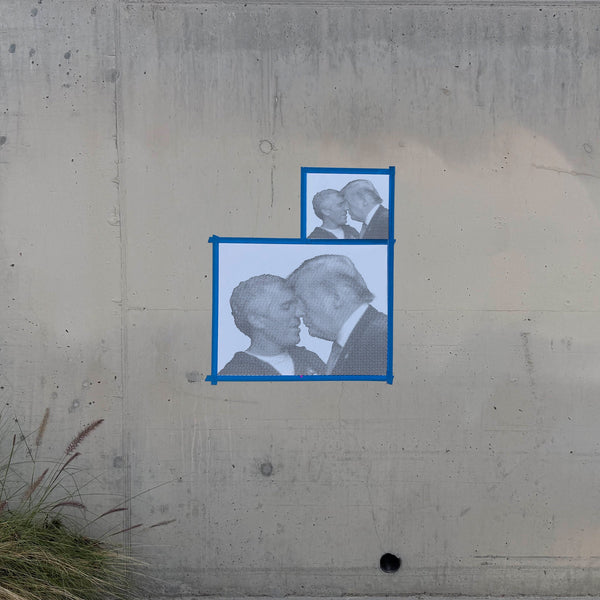
Trump and Epstein Stencil

STENCILIZER By Schwingo

Turn any image into a print-ready halftone stencil

v1.3 Photoshop 2021+ • macOS / Windows

Get The Plugin

Install directly from Adobe Exchange (recommended), or download the .ccx file and double-click to install.

How To Install

1
Adobe Exchange
Recommended
  1. Click the Get on Adobe Exchange button above.
  2. Sign in with your Adobe ID and click Free to install.
  3. Open Photoshop. The plugin appears under Window → Plugins → Stencilizer.
Why this method? Adobe handles updates automatically and the plugin survives Photoshop reinstalls.
2
Manual .ccx Install
  1. Download the .ccx file using the button above.
  2. Double-click the file. Adobe Creative Cloud will launch and prompt to install.
  3. Click Install and wait for the confirmation message.
  4. Restart Photoshop if it was already open.
  5. Open the plugin via Window → Plugins → Stencilizer.
Troubleshooting: If double-clicking does nothing, right-click the .ccx file and choose Open With → Adobe Creative Cloud. On macOS you may need to allow the file in System Settings → Privacy & Security.
?
Need Help?
  1. Make sure you're running Photoshop 2021 (v22.0) or later.
  2. If the plugin doesn't appear, go to Edit → Preferences → Plugins and confirm Allow Extensions to Connect to the Internet is enabled.
  3. Still stuck? Email support@tastebueno.com with your Photoshop version and OS — we'll get you sorted.